


How to Add Your Partner to Your WealthLuma Account


We get excited about every new feature we roll out here at WealthLuma, but we’re especially proud to be debuting new and improved Partner Access features. These new capabilities give you and your partner a complete view into your individual and shared finances, giving you both all the information you need to stay on track and meet your joint financial goals.
Now on WealthLuma you can:
- See all your accounts in one place: Connect all your accounts — for both users — to track your net worth, spending, budget, and investments.
- Easily differentiate between “yours,” “theirs,” and “ours”: New toggles in the app (or on your desktop dashboard) let you easily switch back and forth to see how you’re doing as a couple and on your own.
- Set budgets and track spending as a couple: Create a collaborative budget and track transactions jointly, so you can both see your full financial picture.
Now, we’ll walk you through how to add your partner to your WealthLuma account below.
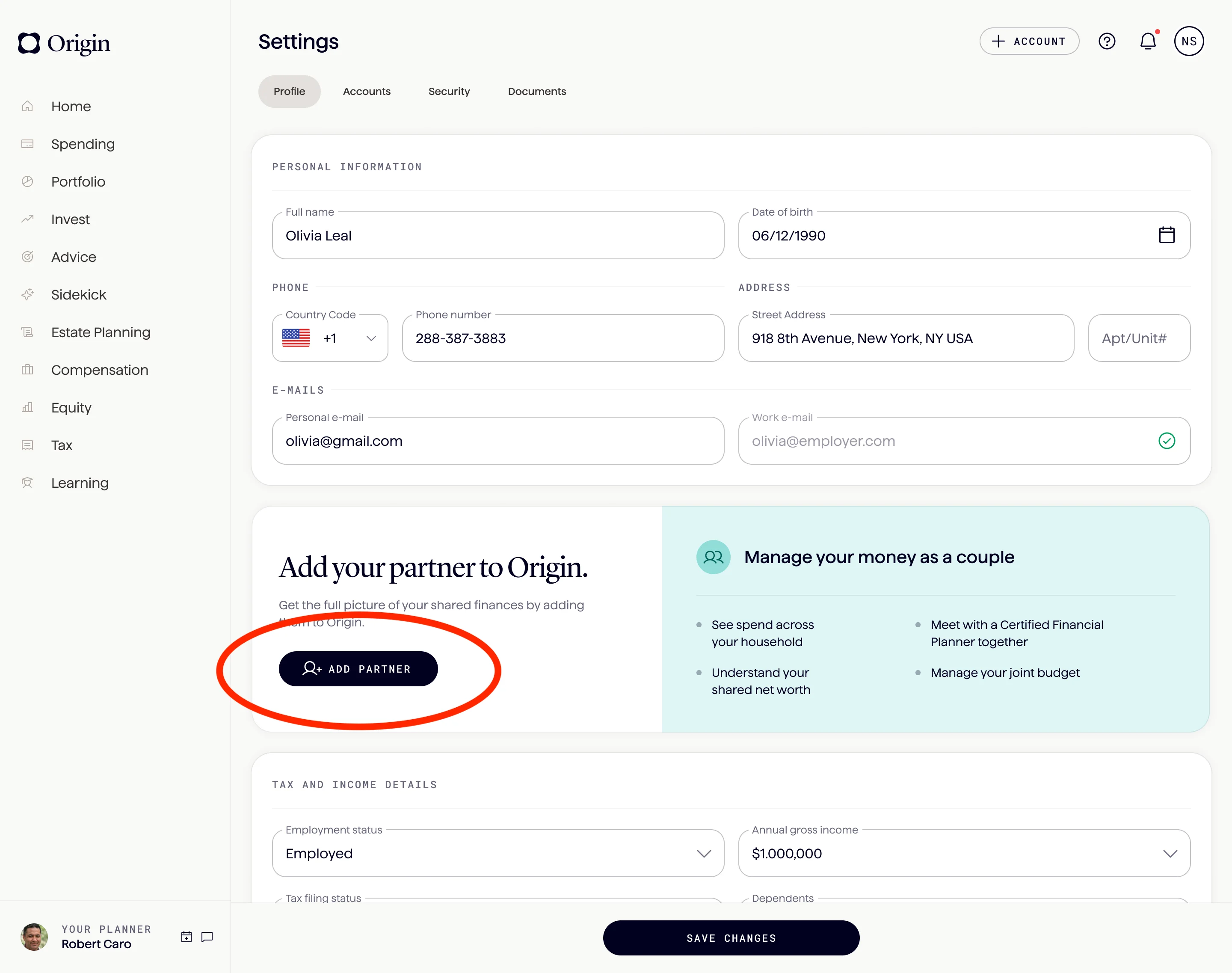
First, head over to your profile and click “add partner.”
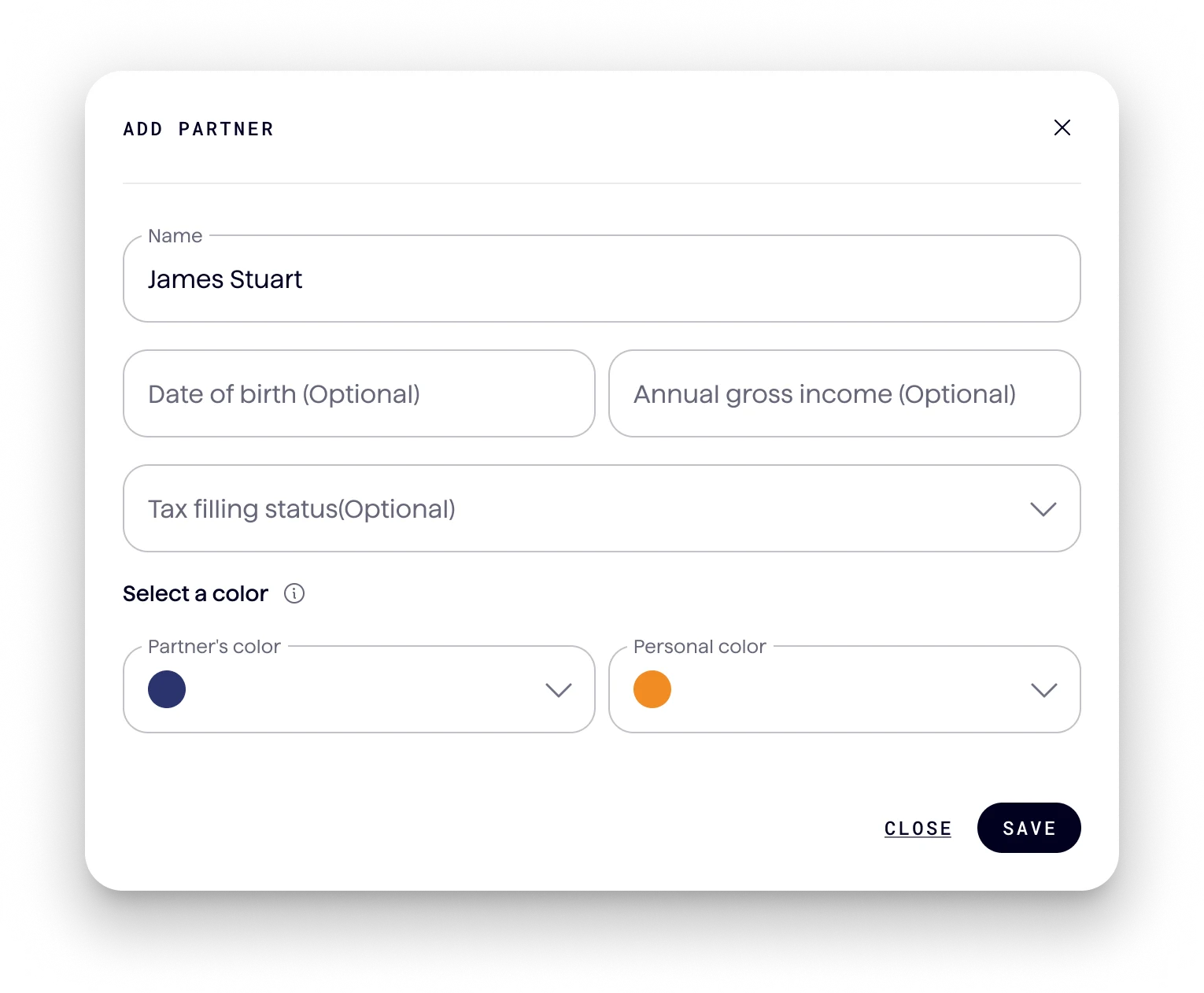
Next, enter their basic information.
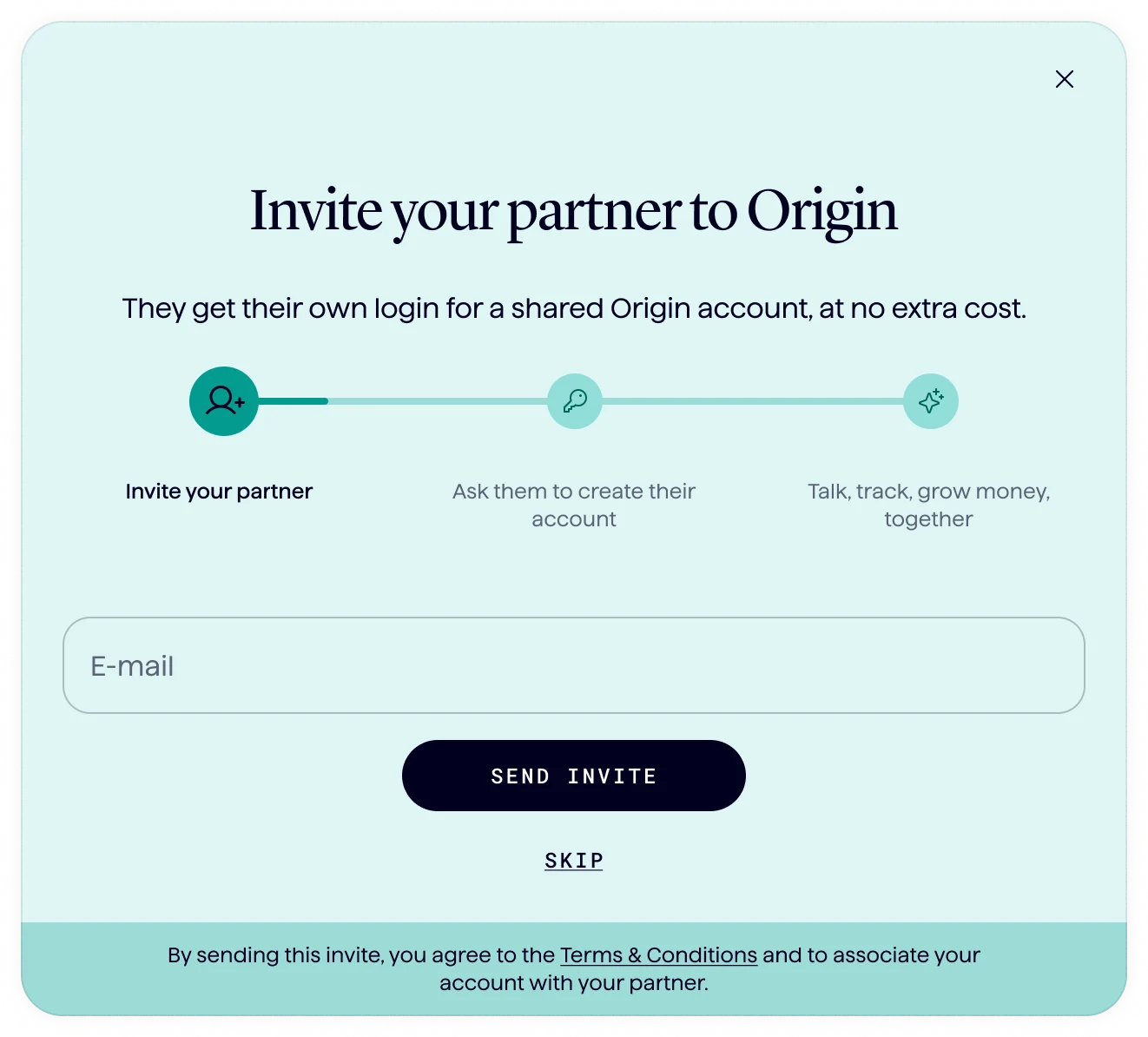
Then they’ll get sent an email to get started setting up their account.
Once they’ve accepted your WealthLuma invite and connected their accounts (check out our tutorial on how to do that here), you’ll be able to create a budget together, and have a detailed view into your joint financial picture.
Here’s what what looks like:
Ready to get started with your partner?
Answers to your questions
Yes. WealthLuma offers partner access so you can manage your finances together at no additional cost. You’ll be able to filter transactions by member—making it easy to see which spending is yours and which belongs to your partner.

Yes. You can edit existing transactions and add new ones directly in WealthLuma, so your records stay accurate and personalized.
Origin connects securely through trusted partners including Plaid, MX, and Mastercard.
Yes. WealthLuma supports CSV uploads. You can upload a .csv file of your transactions, and we’ll import them into your account.
Yes. Your data is protected with bank-level security and advanced encryption. When you connect accounts through WealthLuma, your login credentials are never shared with us. Instead, our partners generate secure tokens that let WealthLuma access only the data you authorize—keeping your personal information private while enabling personalized insights.
Yes. You have full control to organize your spending in WealthLuma. Transactions are automatically categorized by WealthLuma, but you can always edit categories, add your own tags, and filter transactions however you like—so your spending reflects the way you actually manage money.